How to use Socify
Simple steps with pictures. Set up your society in about 15 minutes, then send bills and collect payments from your phone.
Who are you? Tap one to jump to your steps.
First, get the free app:


For the committee
One committee member does steps 1 to 3 once. Steps 4 to 6 are for every month.
Step 1
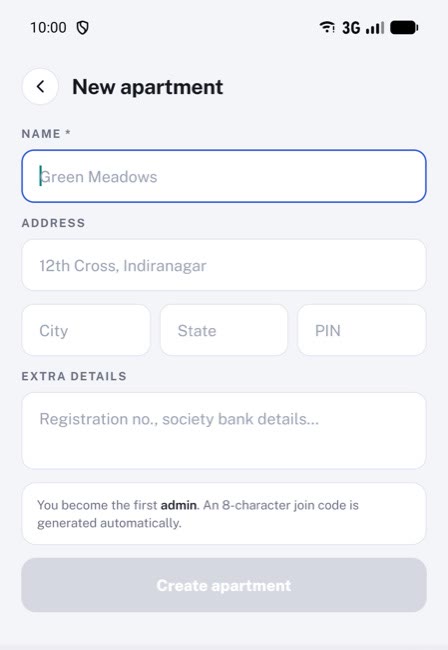
Create your society
- Open Socify and create an account with your email.
- Tap Create an apartment.
- Type your society's name and address, then tap Create apartment.
Step 2
Add your flats
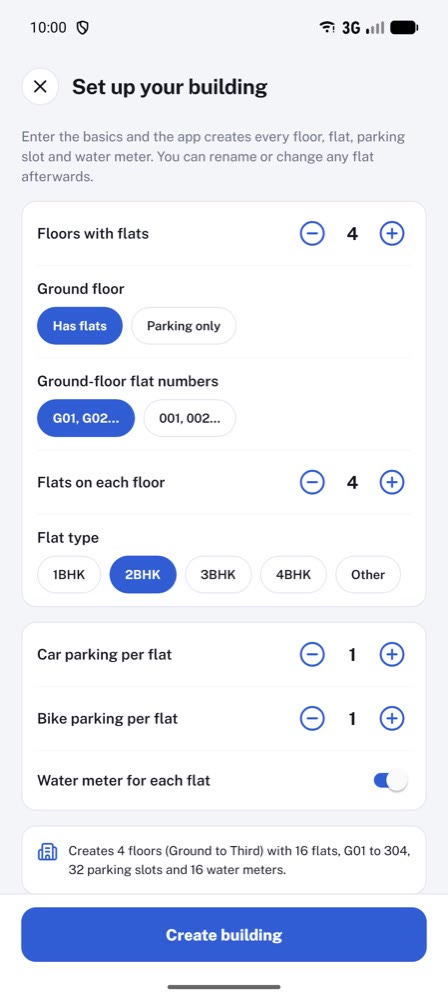
- On Home, tap Quick setup.
- Enter the number of floors and the flats on each floor.
- Tap Create building. All your flats are created in one go.
You can rename or change any flat later.
Step 3
Invite your residents
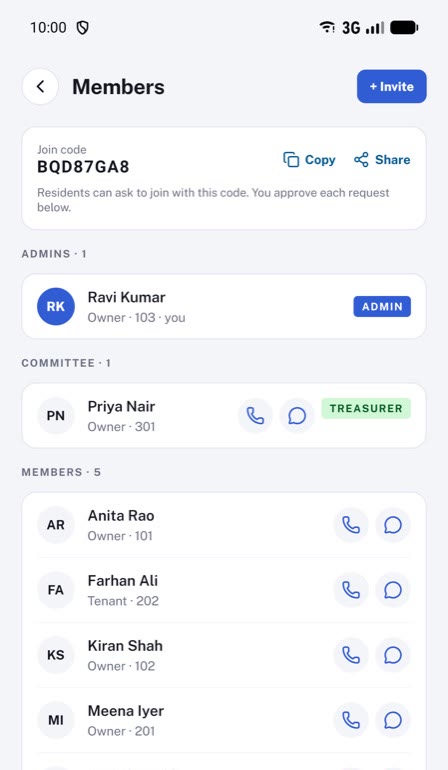
- Open More, then Members and admins.
- Tap Share next to the join code and send it to your society's WhatsApp group.
- When a resident joins with the code, their request shows on this screen. Tap Approve.
Step 4 · every month
Add the month's expenses
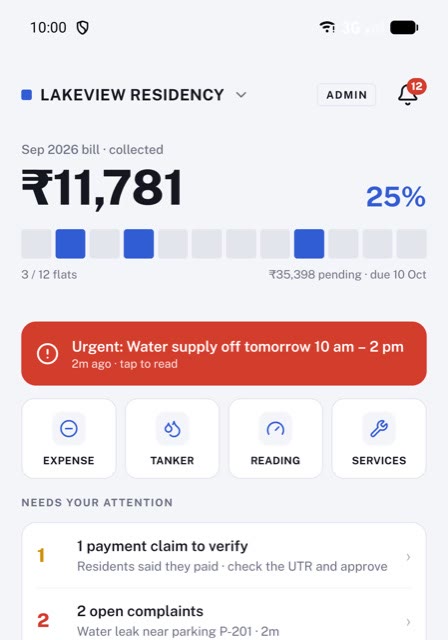
- On Home, tap Expense.
- Add each cost: electricity, security, cleaning, repairs and so on.
- For a water tanker, tap Tanker instead.
Step 5 · every month
Send the maintenance bill
- Open Bills and tap Generate.
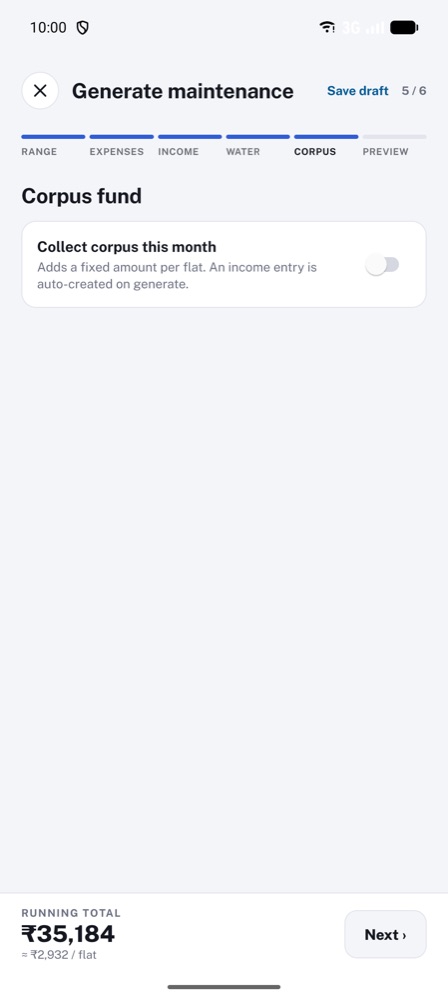
- The app takes you through 6 short screens. Fill each one and tap Next ›.
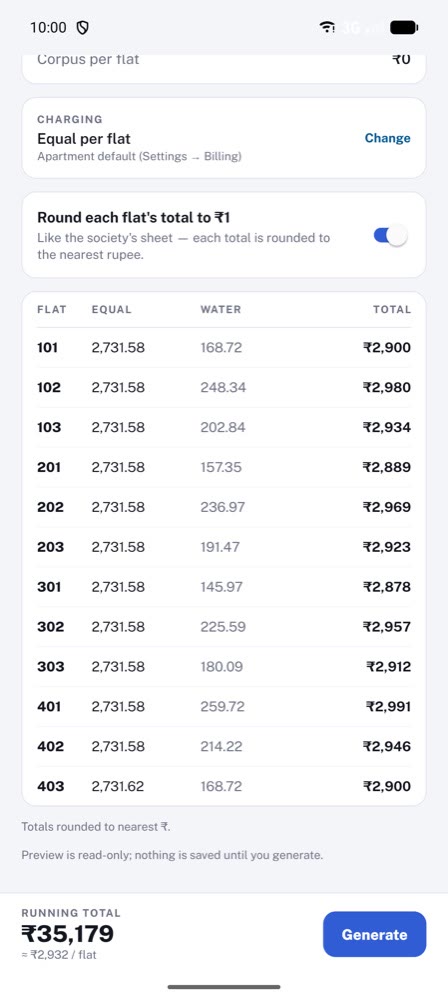
- On the last screen, tap Generate.
- Enter your society's UPI ID and the due date, then tap Confirm & generate.
What each screen asks
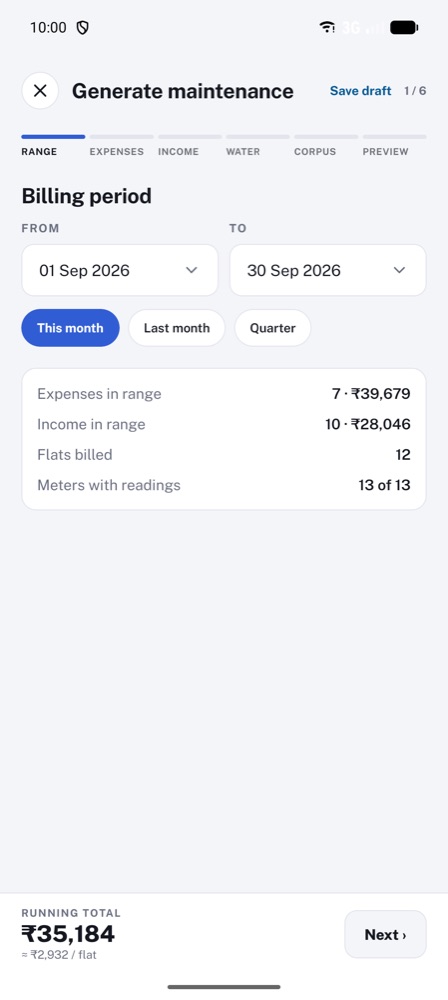
- Range. The dates this bill covers. For a monthly bill, tap This month.
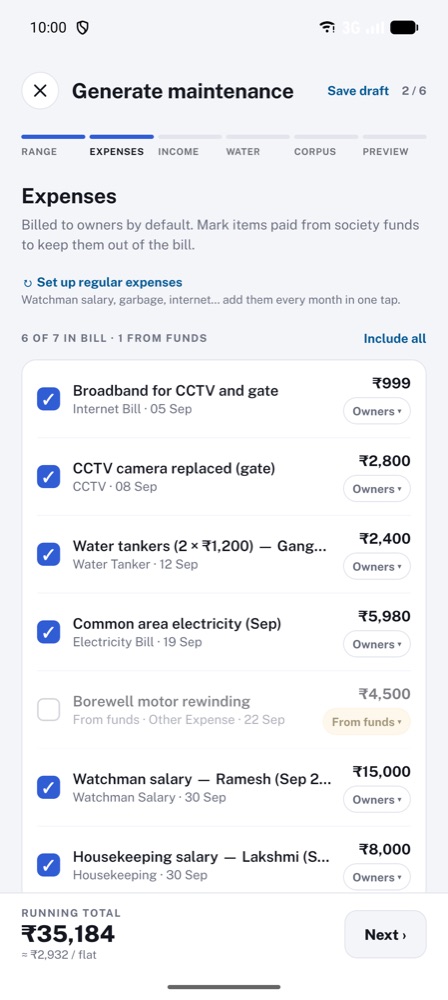
- Expenses. The costs to share between the flats. They are already ticked. Untick any cost that should not be in this bill.
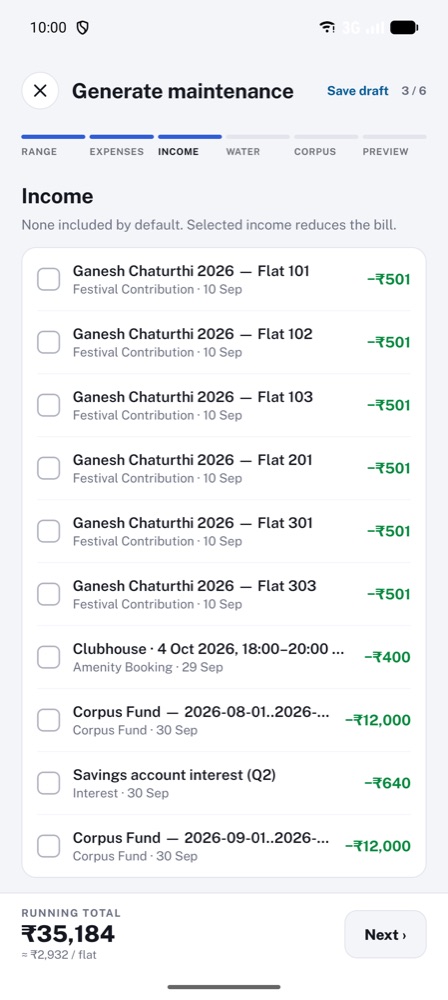
- Income. You can skip this. If the society earned money, like hall booking or bank interest, tick it to make everyone's bill smaller.
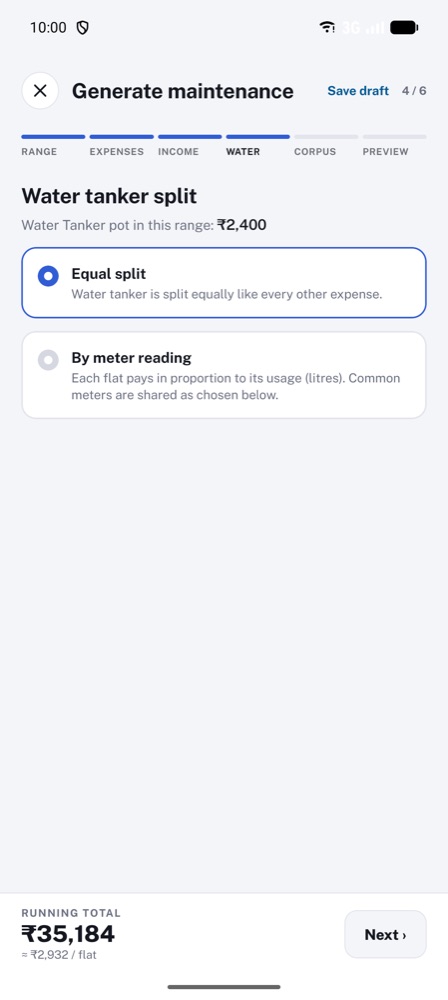
- Water. How the water tanker cost is shared. Choose Equal split, or By meter reading if your flats have water meters.
- Corpus. You can skip this. Switch on Collect corpus this month to add a fixed amount for every flat towards the society's savings fund.
- Preview. Shows what every flat will pay. Check it, then tap Generate.
Then, payment details. Enter the society's UPI ID, UPI name and the due date. Residents pay to this UPI ID. Tap Confirm & generate.
Every resident gets the bill on their phone, with a PDF.
Nothing is sent until you tap Confirm & generate. You can tap ‹ Back to change anything, or Save draft to finish later.
The 6 screens swipe to see each one →
Step 6 · every month
Collect the payments
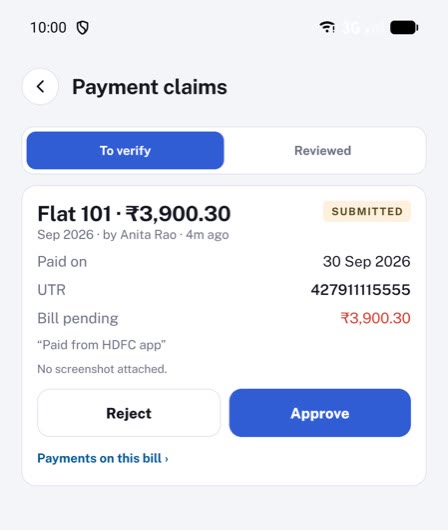
- When a resident pays, it shows under Bills, then Payment claims.
- Check your bank for the money, then tap Approve. The resident gets a receipt.
- Paid in cash? Open the bill, tap the flat and record the payment.
For residents
Step 1
Join your society
- Open Socify and create an account with your email.
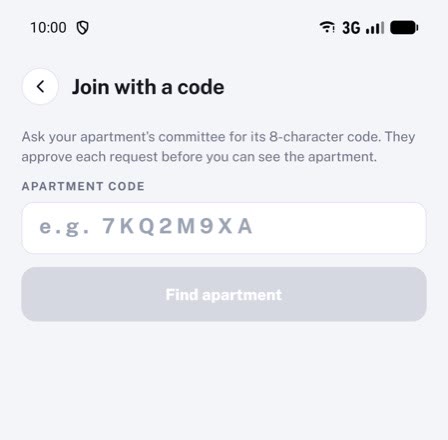
- Tap Join with a code and enter the code your committee shared.
- Choose your flat and send the request. The committee approves it.
Step 2
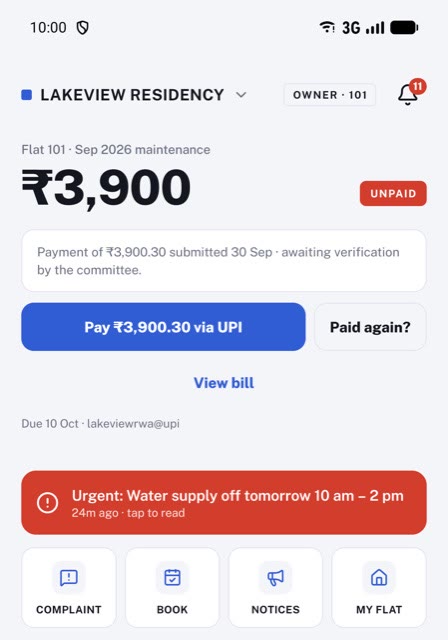
See your bill and pay
- Home shows your bill and the due date.
- Tap Pay via UPI. Your UPI app opens with the amount filled in.
- Finish the payment in your UPI app.
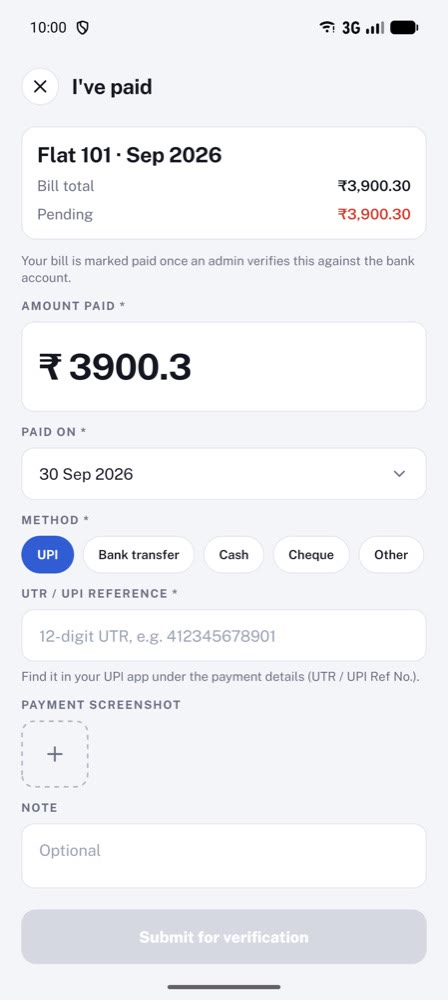
Step 3
Tell the committee you paid
- Come back to Socify and tap I've paid.
- Enter the UPI reference number (UTR) from your UPI app.
- The committee checks and approves it. Your bill shows PAID and you get a receipt.
Paid in cash? Give it to your treasurer. They record it and you get the same receipt.
Need help?
We help every society set up for free. Reach us any way you like:
In the app
Open More, then Help and support.
Call
Free for apartment associations. No ads, and your data is never sold.
Want to know how the numbers work? Read our guides for apartment associations.